
This action is permanent and cannot be undone
Deleting your account will permanently remove your profile, booking history, loyalty points, and all personal data from Shaj3. If you are a café owner with active bookings, your account cannot be deleted until all bookings are completed or cancelled.
Open your Profile
Tap the Profile icon at the bottom of the navigation bar to open your profile page, then open Edit Profile.
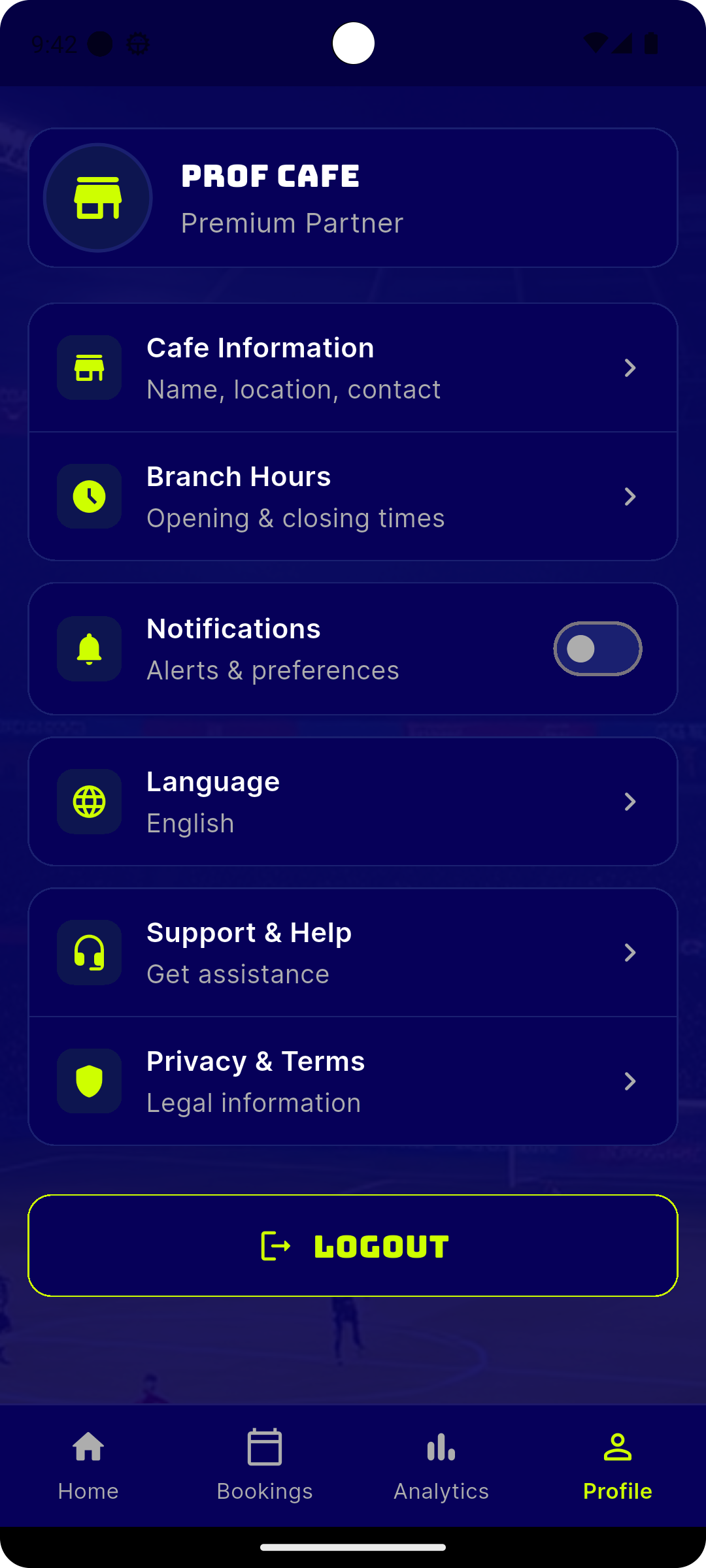
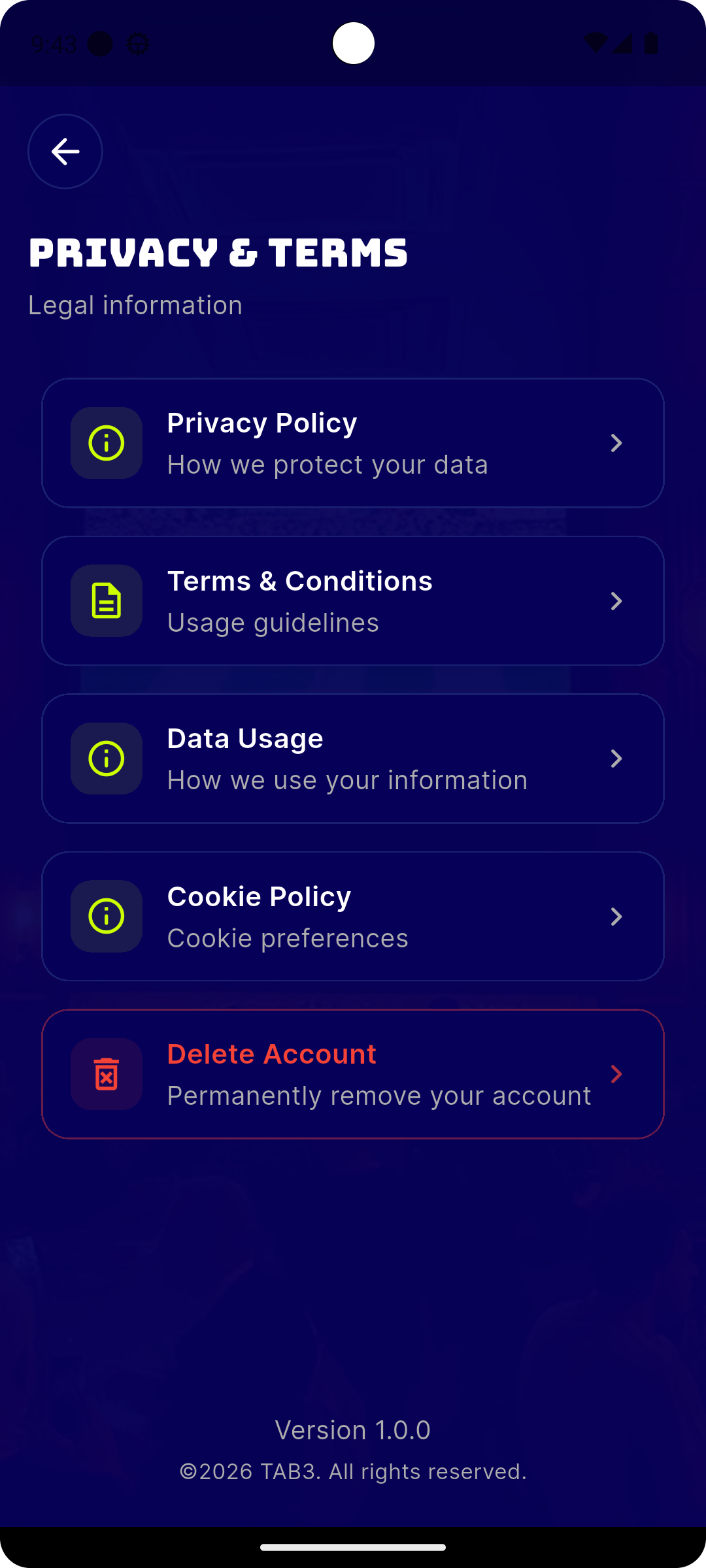
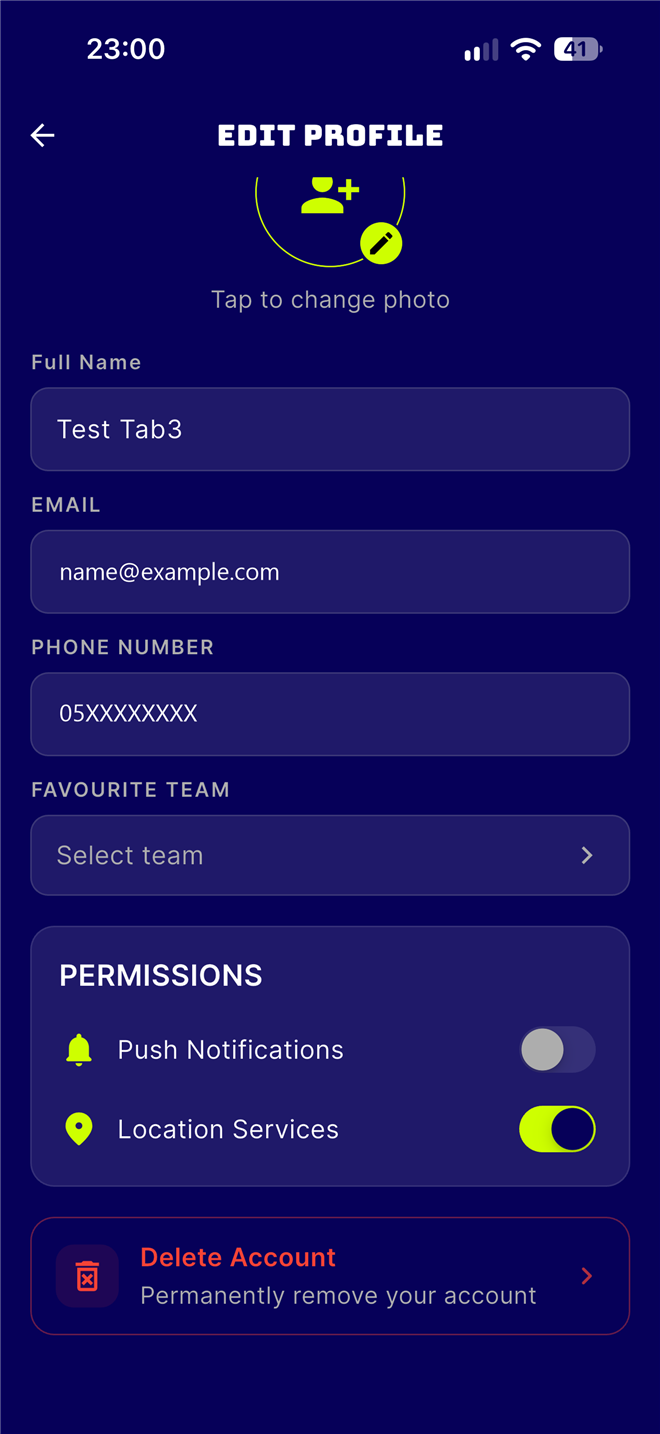
Tap Delete Account
On the Edit Profile screen, scroll to the bottom and tap the Delete Account option highlighted in red.
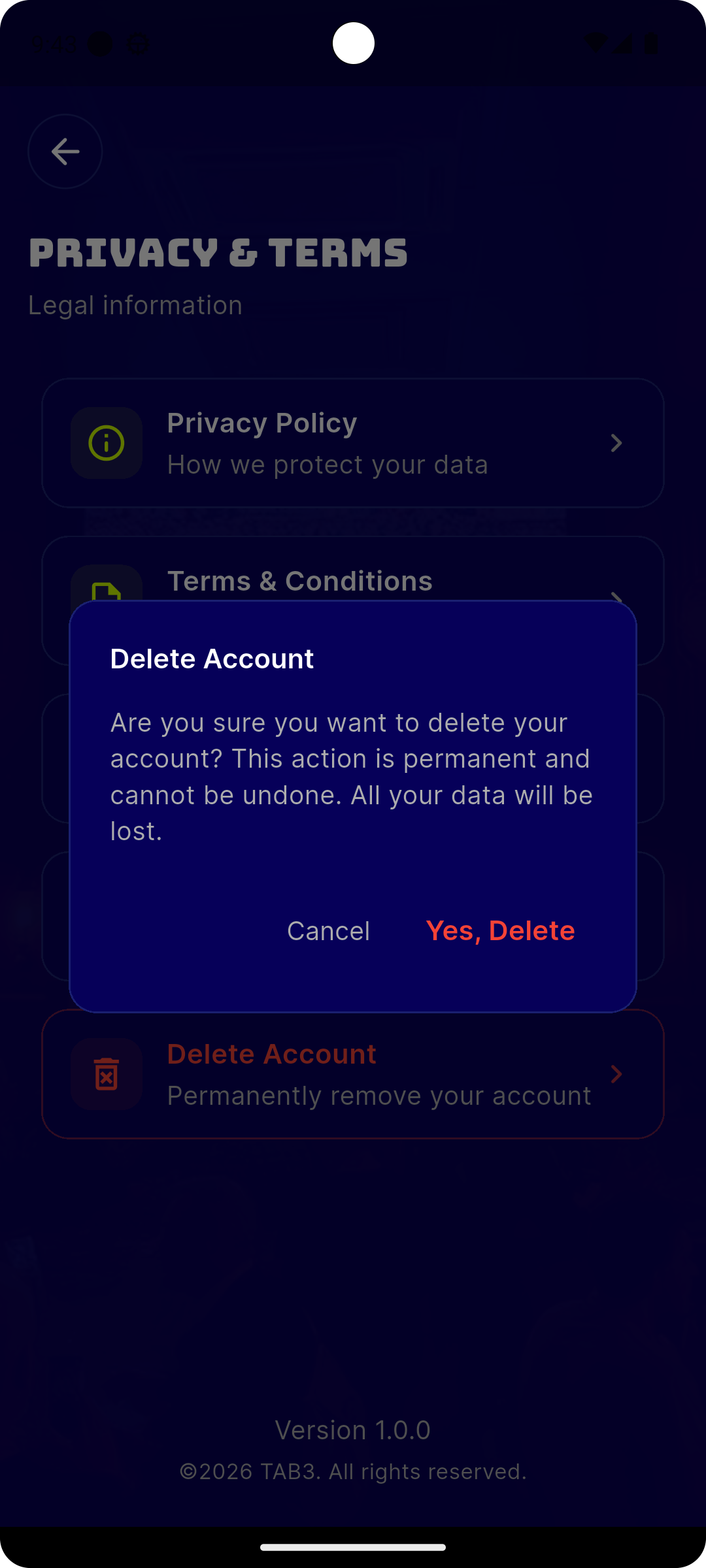
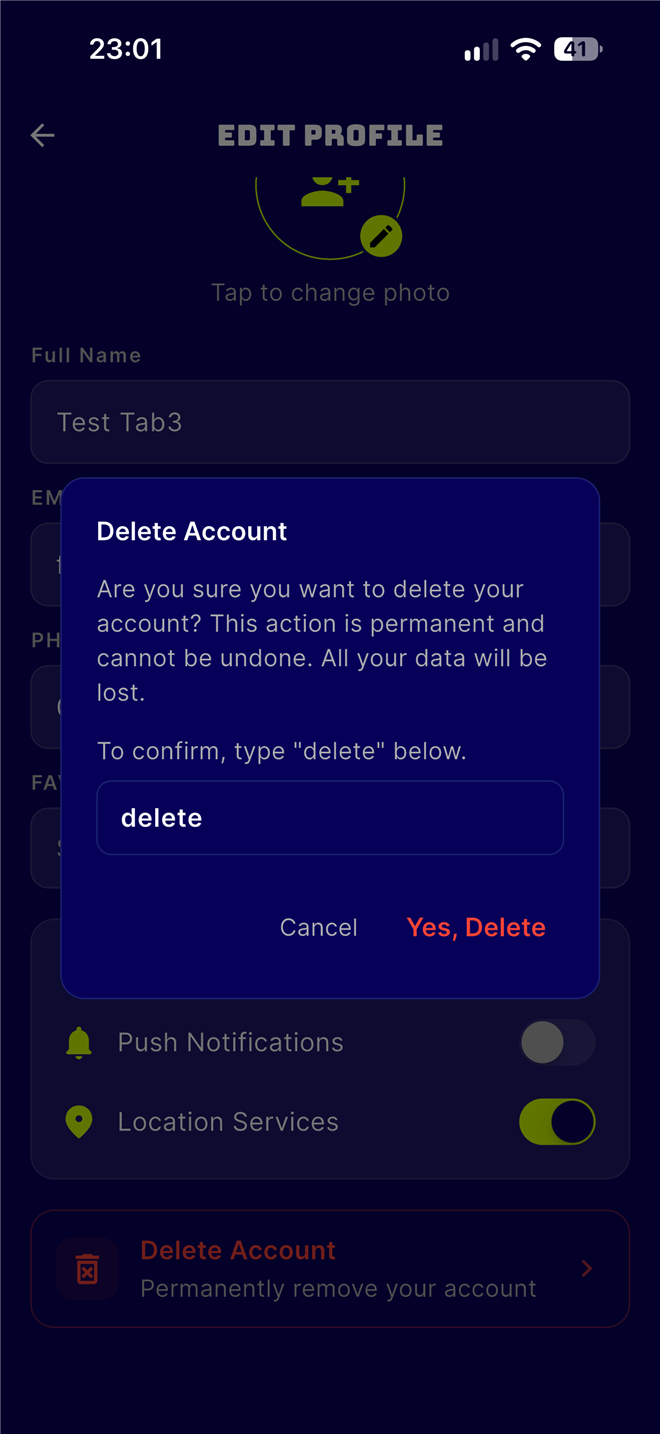
Confirm Deletion
A confirmation dialog will appear warning you that this action is permanent and cannot be undone. Type "delete" in the box, then tap Yes, Delete to permanently delete your account.
What gets deleted
Note for Café Owners
If you are registered as a café owner, your account cannot be deleted while you have active bookings (pending, confirmed, or checked-in). You must wait for all bookings to complete or cancel them first before deleting your account.
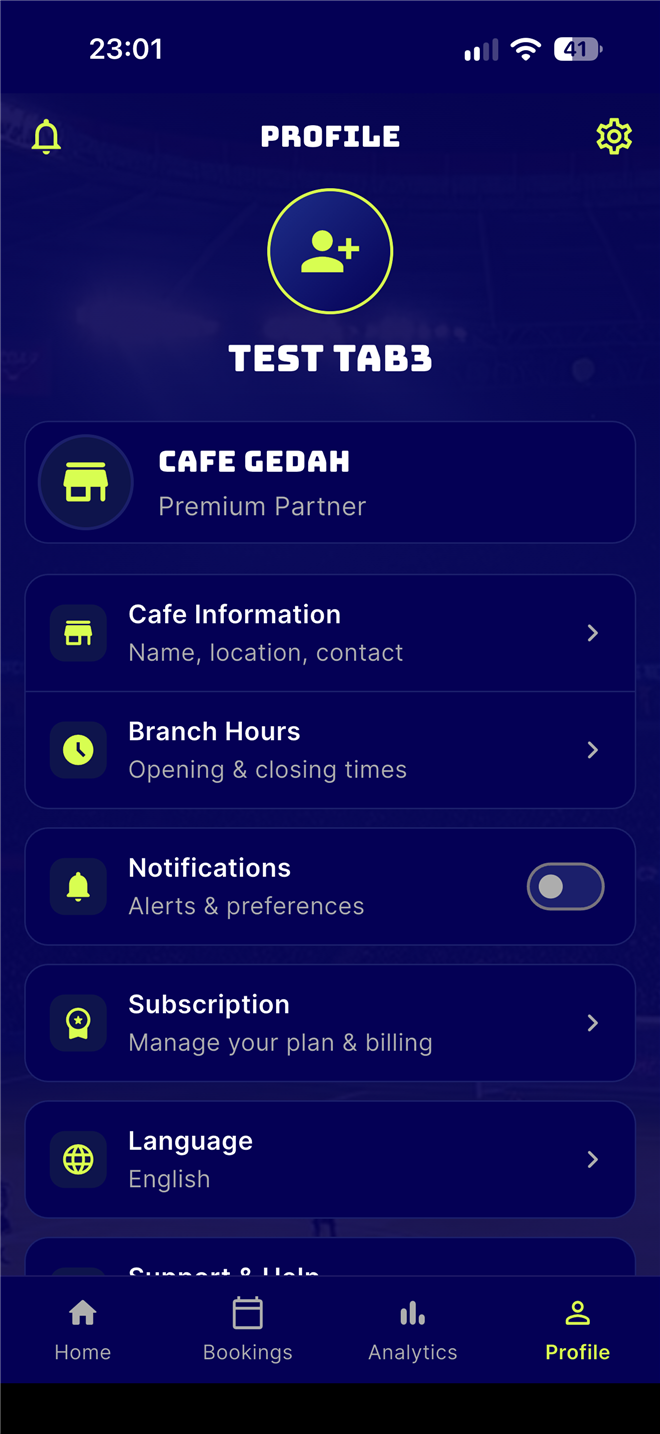
The steps are the same in the café owner app:
Need help or having trouble deleting your account?
Contact us at support@shaj3.sa